

Features
Body Scan: see what your mornings build
Take a selfie or a mirror photo, and Wakeletics reads the shape of your chest or glutes on your iPhone. How a scan works, what the Shape Score measures and what it doesn't, and what happens to your photo.
By Daniel & Samuel Krucay, co-founders of Wakeletics
· 21 October 2026 · 6 min read
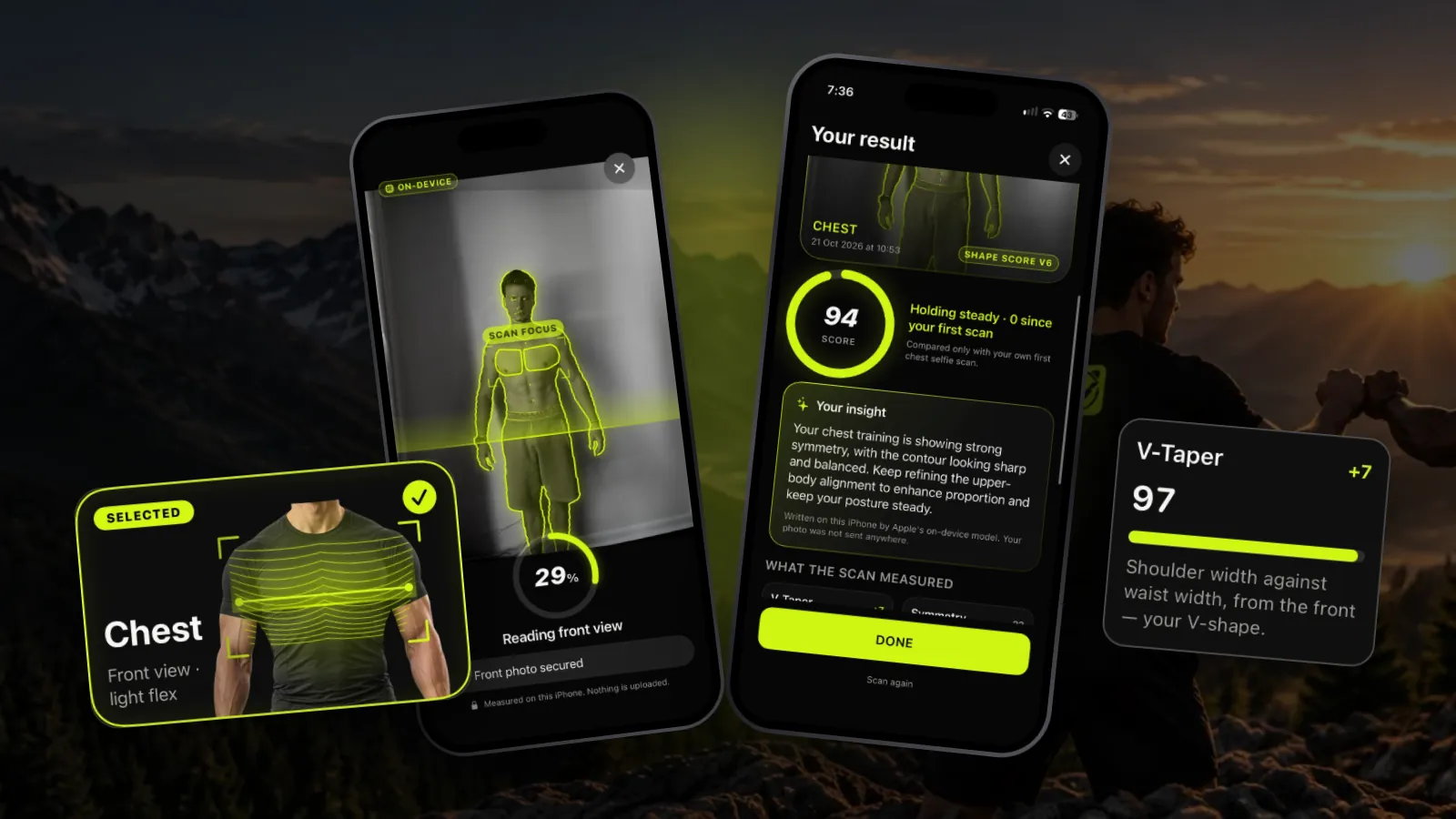
Wakeletics is coming soon to iPhone. This is how it works in the app. Until it is in the App Store, wakeletics.app walks you through all of it.
Streaks and rep counts tell you that you showed up. They don't show you what all those mornings are doing. Body Scan is the part of Wakeletics that tries: take a photo, and the app reads the shape of your chest or your glutes, the two regions the two exercises train. Then do it again in a few weeks and compare.
It's in the Progress tab, it runs entirely on your iPhone, and the only person it compares you with is you.
How a scan works
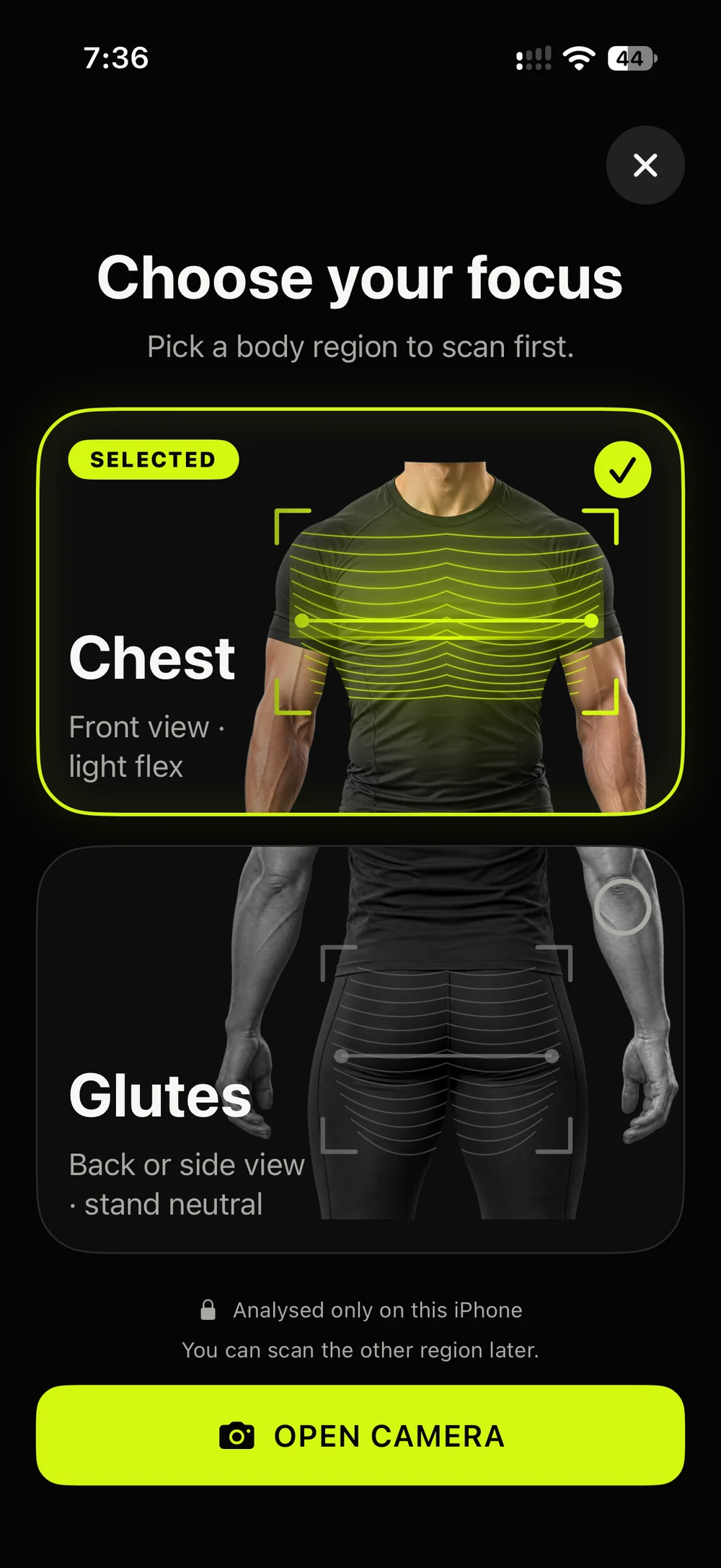
1. Choose your focus
Pick Chest (the region push-ups train) or Glutes (the one squats train). The first time, a short questionnaire asks for an age range, your height and how often you train; your weight and gender are optional. Body Scan is for ages 14 and over.
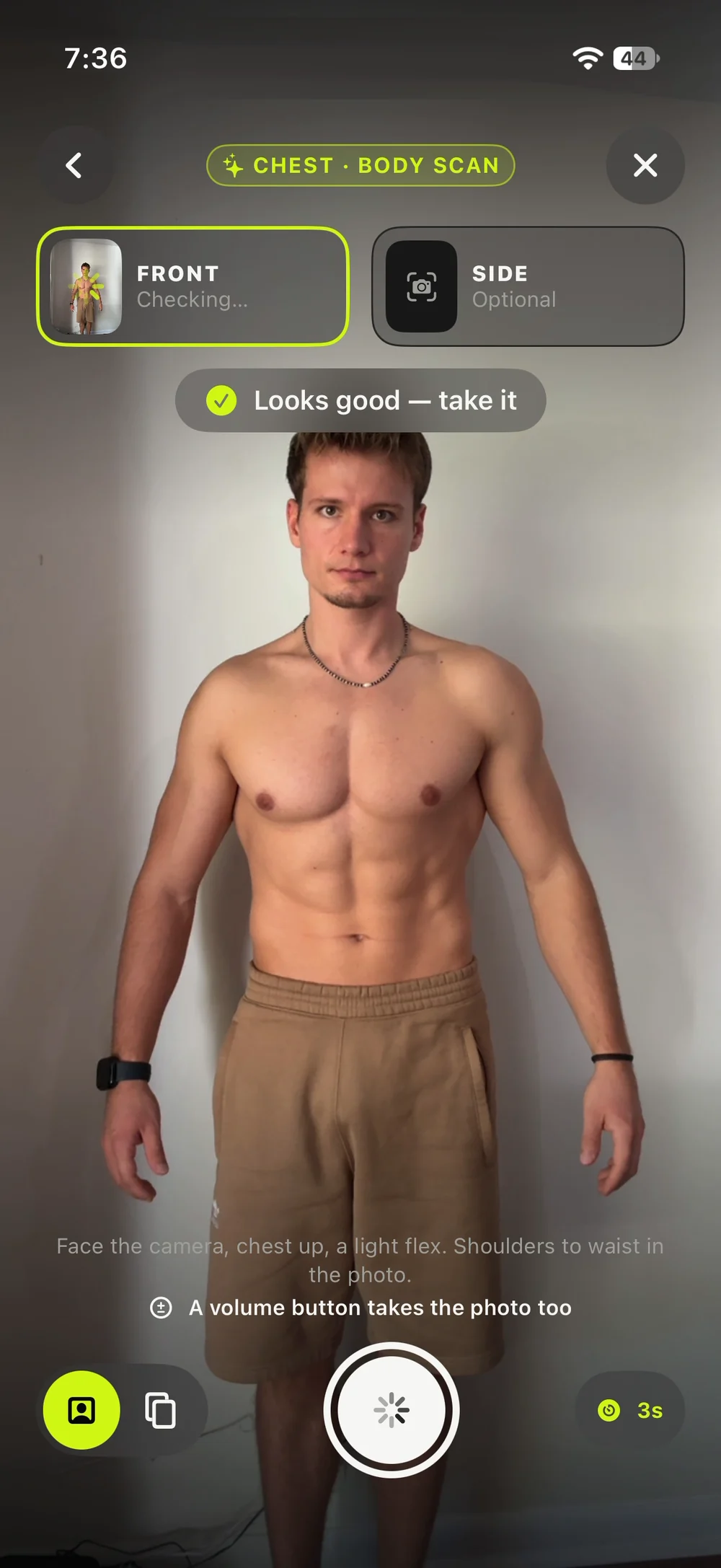
2. Take the photo
Use the front camera for a selfie, or the back camera to photograph yourself in a mirror. Photos from your library can't be used: a scan always starts from a photo taken in the app.
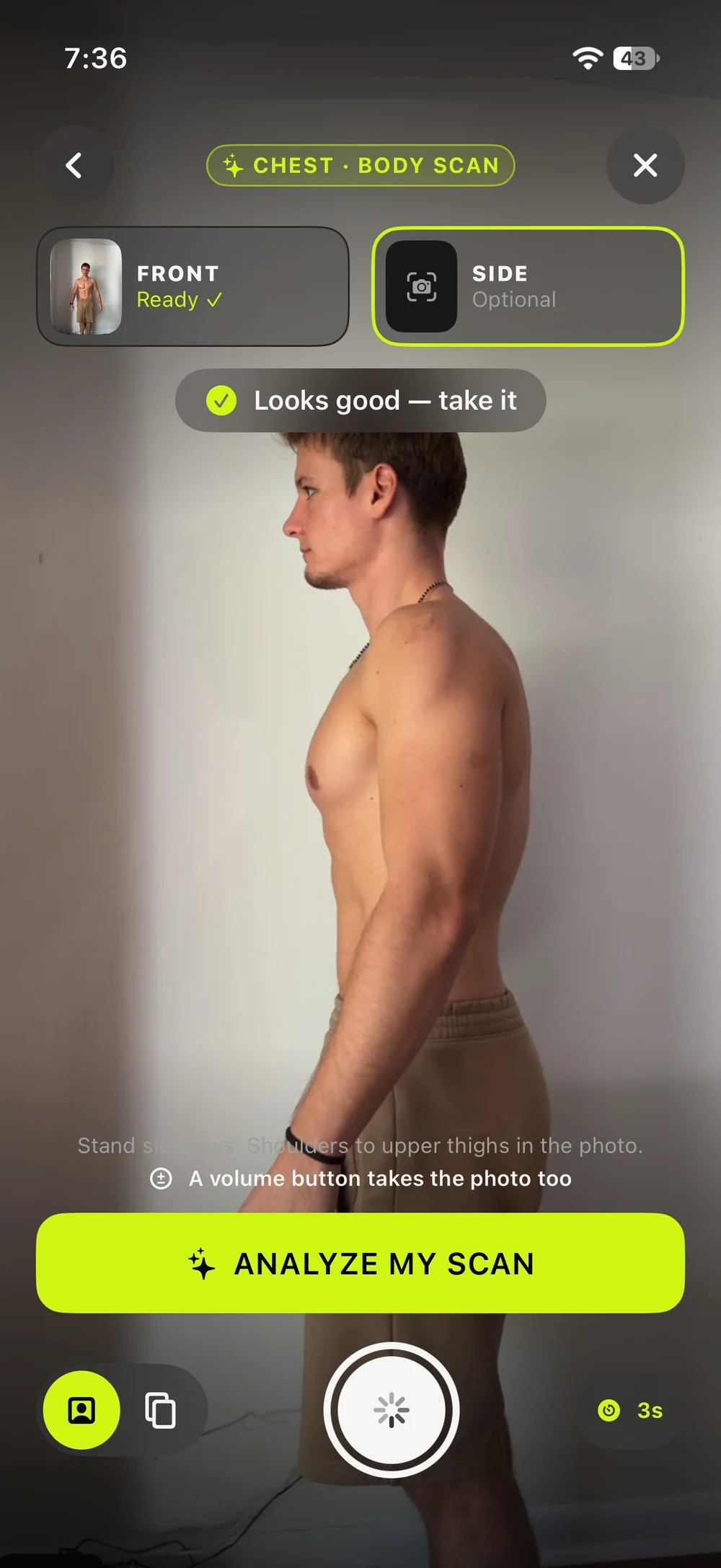
- Chest: a front photo, facing the camera with a light flex and your shoulders to your waist in the frame. A side photo is optional and adds your contour.
- Glutes: a photo from behind or from the side, ideally in fitted shorts or leggings.
Your arms can't always reach the screen when you're framing your whole torso, so a volume button takes the photo, or you can set a 3, 5 or 10 second timer. Each photo is checked as soon as it's taken. If it shows too little to measure, the app says what to change in one sentence, and you take it again.
3. Watch it read
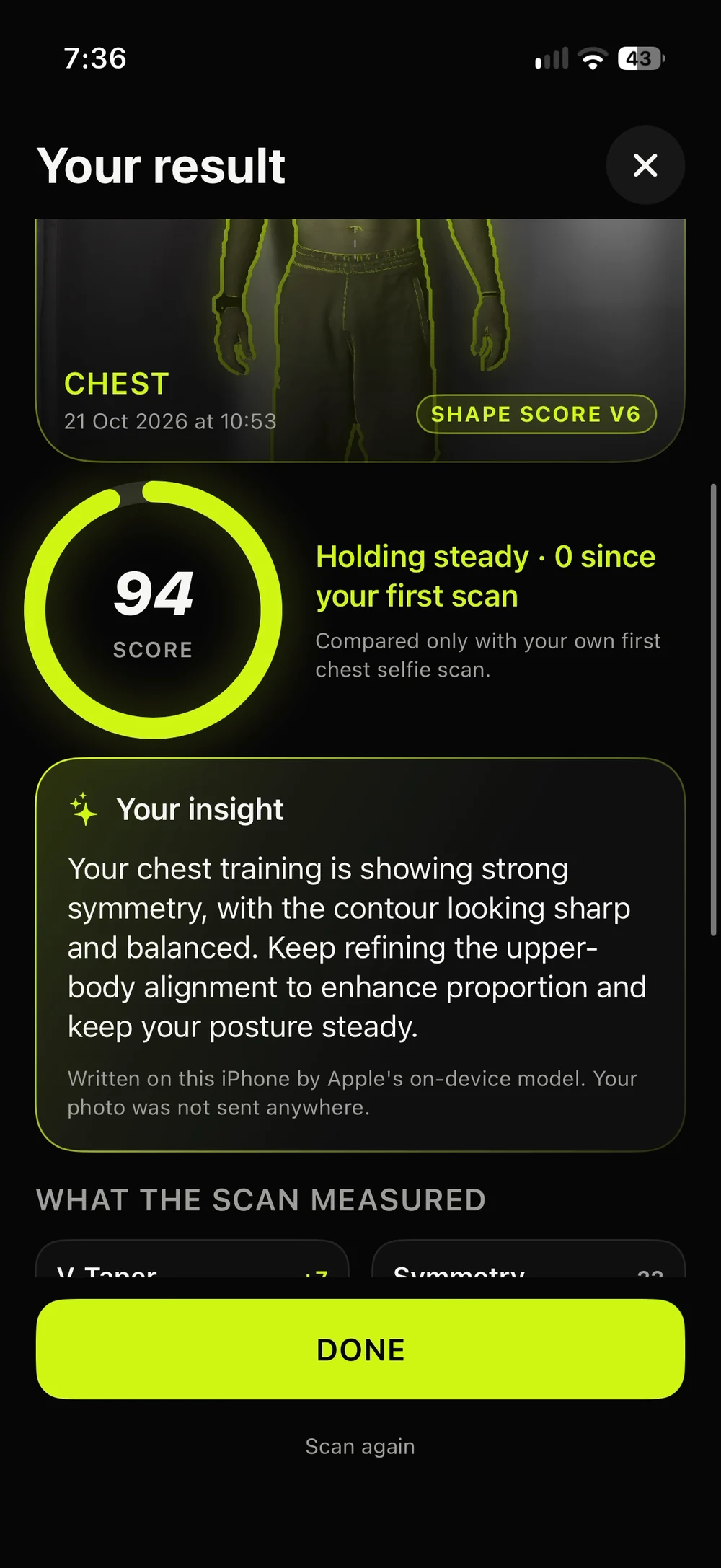
Tap Analyze my scan and the photo is read in front of you: your outline is traced, the region you chose is marked, and the side view is combined with the front. Every layer you see is drawn from that photo's own analysis.
What the Shape Score measures
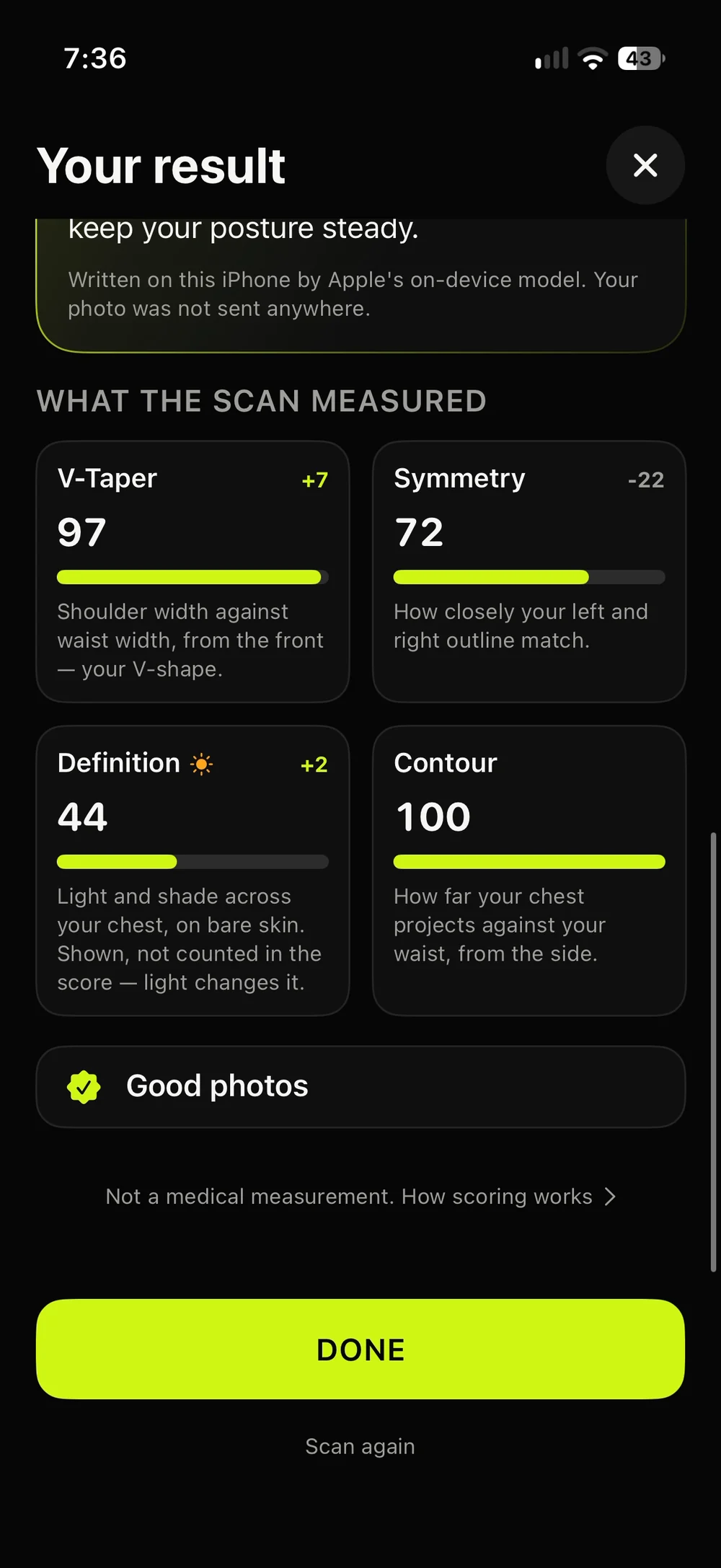
The result is a Shape Score for the region, out of 100, built from parts you can see on the result screen:
- V-Taper: the width of your shoulders against your waist from the front (for glutes, your hips against your waist from behind).
- Symmetry: how closely your left and right outline match.
- Contour: with a side photo, how far the outline projects.
- Definition: light and shade across your chest. It is shown, but it isn't counted in the score, because it changes with the lighting as much as with you.
Every length is measured against your own torso, so a close selfie and a far mirror photo give comparable numbers. A part a photo can't show is left out, never scored as zero.
Compared with you, and nobody else
Your first scan of a region is your baseline. Every later scan is compared with it, on the parts both scans could read, and only with scans taken the same way: selfie with selfie, mirror with mirror. There is no ranking against other people and no "average for your age".
A change of 8 points or less counts as Holding steady, because light, posture and distance move a photo that much on their own. Bigger changes show as Moving up or Moving down.
For the fairest comparison, scan in the same spot, in the same light and in the same clothes each time.
What it can't tell you
A camera sees an outline and light, not what's under the skin. The Shape Score is not a medical, muscle or body-fat measurement, and it doesn't measure strength, fitness or health. Don't use it to make diet or health decisions; that's a conversation for a professional.
The written insight
On iPhones with Apple Intelligence running iOS 27, Apple's on-device language model may add two sentences about your scan, written on your iPhone. Your photo isn't sent to Apple, to us or to anyone else. On other iPhones the scan, the score and the history work exactly the same, just without those two sentences.
What happens to your photo
- It's read on your iPhone. Apple's on-device Vision finds your body's points and separates your outline from the background. Nothing is uploaded.
- It isn't kept, unless you turn on Keep photos on this iPhone. Then it stays inside the app, without location data, and never goes into your photo library.
- It never goes into a backup. Body Scan is left out of iCloud and computer backups.
- You can delete it. Delete one scan or all of them in Body Scan, or everything with Settings → Delete all data.
What's kept for each scan is the date, the region, your answers, the measurements and score, and a simplified outline stored as numbers, not a picture. More detail is in the Privacy Policy.
Free and Pro
Scanning is free: you see the whole analysis, and your scan is saved. The numbers themselves, the comparison and the history come with Wakeletics Pro. If you scan on Free and subscribe later, the scans you already took open up; nothing is deleted.
Why it's in an alarm app
Wakeletics is built on the idea that small mornings add up. Body Scan gives that idea something to look at. Push-ups are the chest region, squats the glutes. A scan now and another in a month won't prove what the reps did, and the app doesn't claim it will, but it's a far better reason to keep going than a number on a calendar alone.
Keep reading
All articles →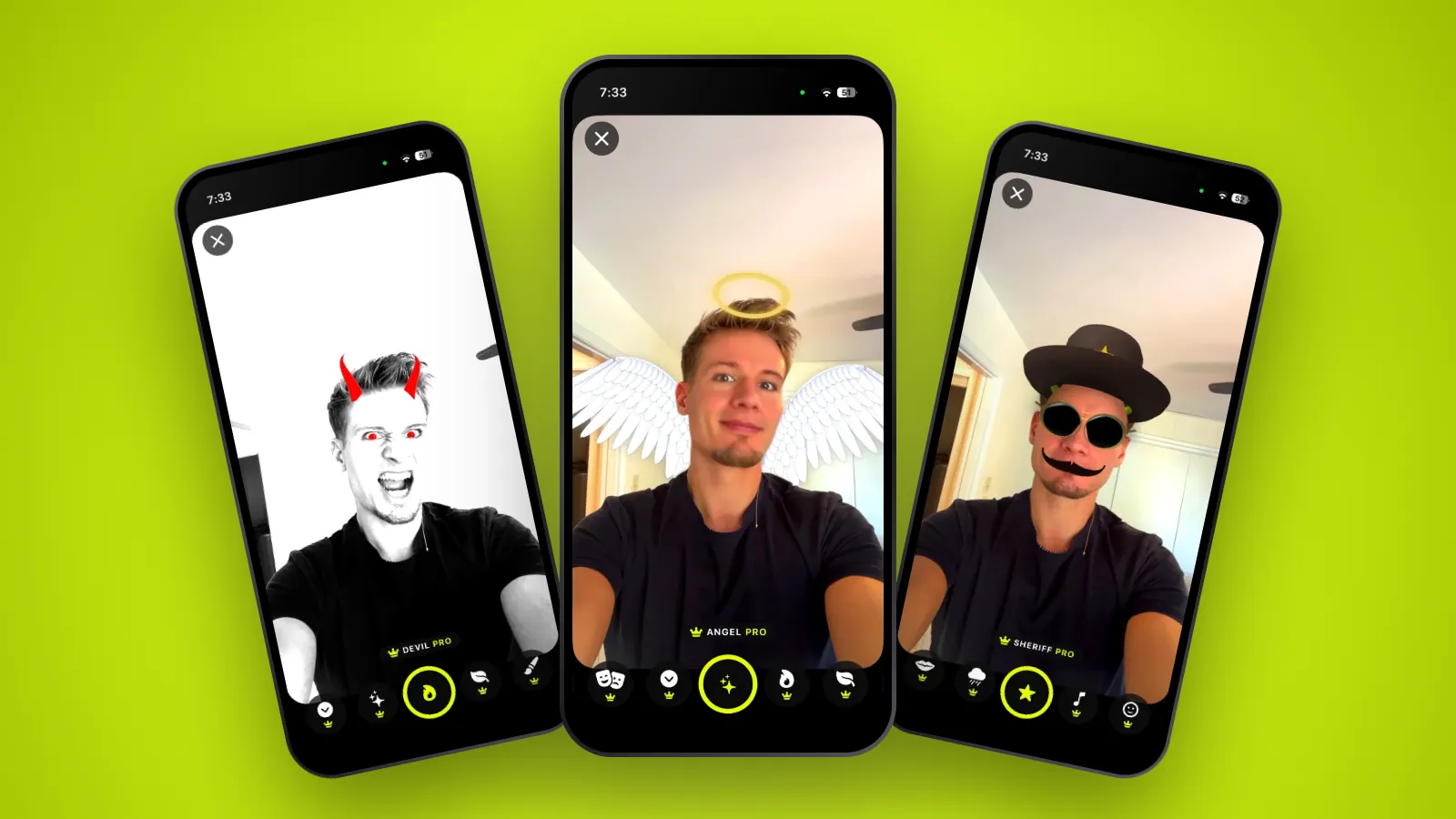 Features
Share Studio: lenses, cards and what your morning says
Seventeen selfie lenses you try on live, a card you build from your own numbers, and the share sheet. Everything you can share, and how it works.
2 October 2026 · 7 min read
 Features
Pro Audio: wake tracks written to get you out of bed
Ten produced tracks, six free tones, and your own voice or song as the alarm. What each sound is for, and how to choose the one that actually gets you up.
1 October 2026 · 5 min read
 Features
Trophies: what you can win in Wakeletics, and how
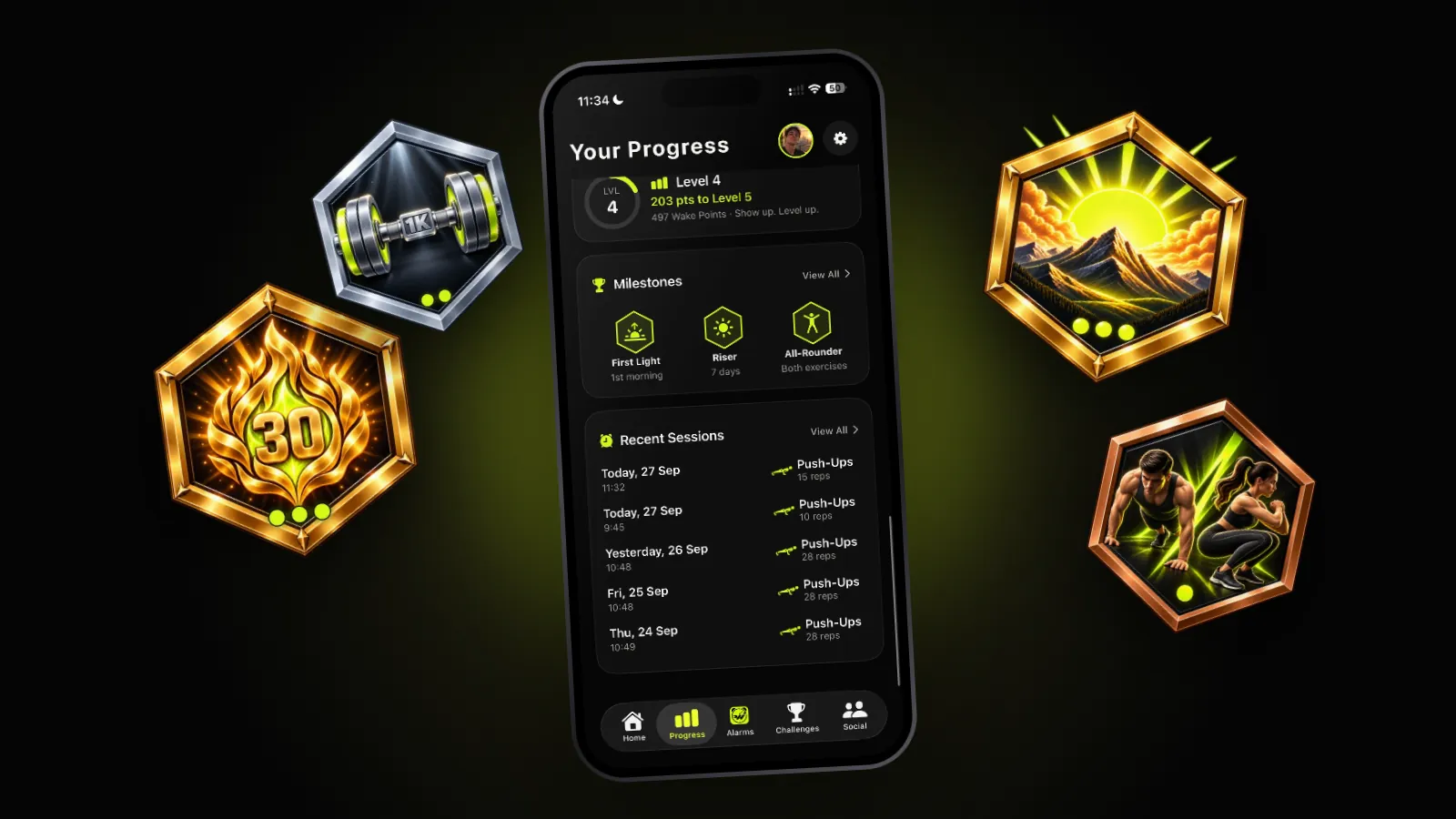
Nine tracks that climb from bronze to gold, four season trophies that only exist for 13 weeks, and a showcase of your best three. What each one asks for, and why none of them is for sale.
30 September 2026 · 6 min read
Coming soon to iPhone
See what the reps build.
Push-ups for the chest, squats for the glutes. Scan now, scan again in a few weeks, and compare yourself with nobody but you.
Not in the App Store yet. wakeletics.app walks you through the whole app.